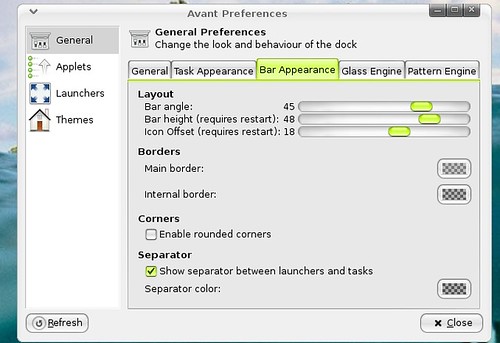
So maybe a week or so ago I posted about the Awn theme manager, which was still in early stages but was nice. Well it has made considerable progress, and is now not only a theme manager but pretty much all the preferences, in Awn. In this it now not only has the theme manager where you can install and save your themes, but you can also change you launcher order, and other Awn preferences all from one place. So now its time for a screen shot:
Now as you can see in the screen shot you have different categories listed on the left. The first one General is just like the preferences you would get if you were to right click Awn and click preferences, but this one is a little bit updated. The little update to the general section as you may be able to see in the picture is that you can adjust the bar angle, the bar height, and the icon offset.
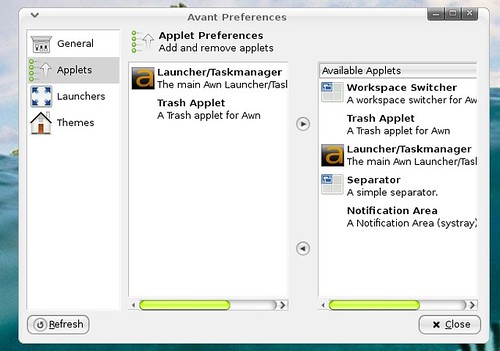
The next category on the left is applets, and it looks a little different then the one built in to awn, so here it is:
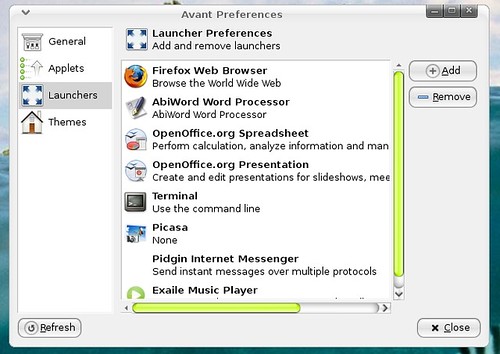
With the applets you just choose things from the right list and move them into the left list to get them on your Awn. The next catagory is the launchers section which actually is a bit innovative:
The great part about this launchers organizer is that you can drag the different launchers around in there, so there is no need like in the one built into Awn to click a launcher then use arrows to move it. Also I noticed after dragging an icon my dock automatically updated, so I did not have to hit the apply button to make it change my dock. There were to many times with the launcher organizer built into Awn when I organized all my icons then hit ok, without hitting the apply button and then I would need to start all over.
The last category in there is the theme manager which I wrote about in the last post. It pretty much looks the same and seems to act the same. But there may be a few bug fixes in there since the last one. The theme manager allows you to save and install themes from others. Here is a quick screen shot:
Well thats it for now on the Awn theme manager, go try it out!
Well I guess I should share how to get it....
Open a terminal and grab it with this command:

bzr co http://bazaar.launchpad.net/~awn-extras/awn-extras/trunk awn-extras
That will get you can awn-extra directory. Within the awn-extras directory navigate into the awn-manager directory and run the awnManager.py


