Sunday, September 23, 2007

Awn Hover effects

Awn has lost of cool new hover effects being created so I will demonstrate them all here including the cpu monitor applet.

The hover effects demonstrated in this video are:

  • Classic
  • Fade
  • Spotlight
  • Zoom
  • Squish
  • 3d Turn


unfortunately google kills my videos quality....

Sunday, September 16, 2007

Meebo on the Dock

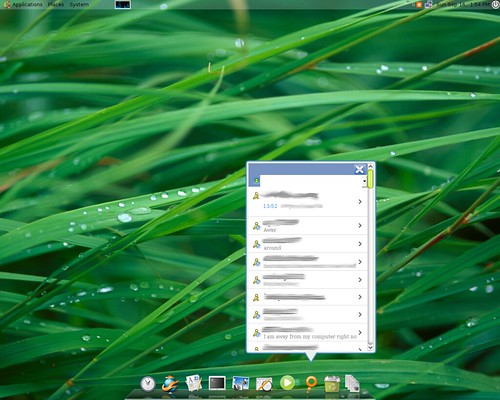
So I have loved using meebo as my chat client, and always wanted a way to have it brought back to the desktop. Then meebo created there Iphone optimized version which I thought could fit perfectly with with one of awns applets. So it seemed easy enough, just needed to get a web page to open up in a snazzy box off the dock....unfortunately I have no programing abilities.

So I made a post in the Awn forums and many people contributed and explained how it could be done, but I didn't have the time to do it. Anywho the amazing ryancr made this idea come to life!


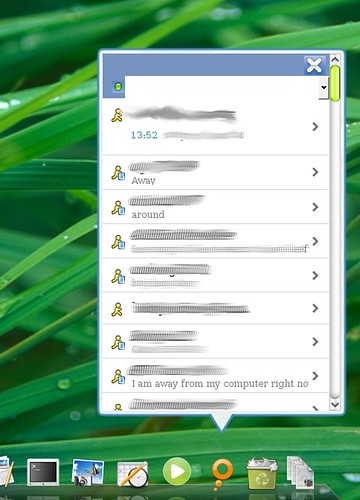
And here is another but zoomed in shot:


Ok so now for installation of the applet, it isn't that hard but I made some dumb mistakes cause I cant follow simple written directions.

Firstly the original post for this meebo applet is here. There is a post in there with directions and a link to download it. I will give my own directions to set it up below which may have a little clarification for some newer users.

First download it from here. Download that and extract it to /.config/awn/applets/

Next open up a terminal and type:

sudo gedit /etc/ld.so.conf

Then at the end of that file add this line:

/usr/lib/firefox

Then save and close it. Next in terminal run:

sudo ldconfig

Once you have done all that you can add the meebo mobile applet to your dock and start chatting away.

I may be wrong but to use meebo mobile you will need to have a meebo account...

Saturday, September 15, 2007

Two Cool new Applets for Awn

The first one is a nifty last fm applet which sits on your dock so you can listen to your last fm stations. You can watch a video of this applet in action here. Also if you want to download and install the applet read this post on the Awn forum.

The next new Applet is the gmail notifier Applet, which you can get here. Follow the directions in that first post exactly or else you will run into trouble like I did.

Also here are some nice images for some ideas for the mail applet:


Saturday, September 8, 2007

Streamy Invites

If any if you readers are interested I got a bunch of streamy invites!

Just reply to the thread and tell me about why you want one, and about you and Linux. Like what Linux you use, how much you use it, etc....

Awn Clock

So awn now allows people to use python for creating applets. And with that announcement lots of new applets and such have been coming out for Awn. One such new applet is the Awn Python Clock which is a nice clock that sits on your dock and when you mouse over it a bubble comes up giving you the time in digital format:


If for some odd reason you live under a rock and don't know what a clock looks like, its the icons to the far left of my dock. For the download and installation instruction go to the developer's blog here.

Wednesday, September 5, 2007

Question for the readers

Now depending on how this post goes I may make this type of post happen more often. By looking at my site statistics a decent amount of you read this forum. I am also sure we have readers from all levels of Linux, and maybe we could get more interaction and more ways to help others.

So here is the idea behind this type of post. I will post a question, and users can answer it in the comments section. This will help each other teach each other....that sounds strange but you get the point.

So the question for this week:

How can you get quicktime video to play in Firefox like the videos that are on the Apple website?

So if you know how to do this share your answer. Also maybe if you register for the comments we can award points for people who first give the answer that works, and we can keep track

I do not receive and compensation if you register for the comments, the point in me saying if your registered we will track you points is because, its hard to track points if you keep changing user names.

Tuesday, September 4, 2007

The Screenlet I have been waiting for!


For the longest time I wanted a gmail screenlet to check my email. Yes I know there is a mail screenlet but it wasn't simple and never really worked for me. I didn't want to you pop forwarding I just wanted to enter in my Google info and bam have something tell me how much mail I got.

And that is what I got in this simple, nice looking gmail screenlet. You enter in your gmail account name and password and it just works, how great!

You can see more info and download the screenlet here.