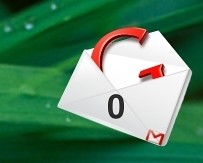
I just started to use thunderbird with my gmail account. I have liked it so much, I am using it now all the time, and not using my online version of gmail. So me being the Awn obsessed man I am, I knew there must be an Awn plug in somewhere. So I searched the Awn forums till I found this post.
Basically this plug in will place messages over the Thunderbird Icon on the dock, notifying you of new mail massages, like so:
I find this plug in very convenient because i do not have to keep un-minimizing Thunderbird to check if I have new messages. Now if you already are a Thunderbird user your probably saying, Thunderbird can give you pop up notifications for when new mail comes in. Well you right, but I turned them off cause they look so ugly. This awn plug in is the much more blingy way to do it!
To grab the plug in you can download it from here. But you need to have an account there because it is in the sandbox section. Also once your account is created you need to go to preferences and enable viewing of sandbox addons.
Sunday, February 24, 2008
Thunderbird Awn Plugin


Tuesday, February 12, 2008
The Best Linux gmail Checker
The best Linux gmail checker is named CheckGmail. Now why am I raving about a gmail mail checker? You ask, how different can it be from the other gmail checkers, because don't they all do the same thing, notify you when you get mail?
Well yes this notifies you of new gmail message with a pop up like most do. But it also allows you to interact with the new mail without having to visit your inbox! That one little thing is so convenient its great! Look at the screen shot below for explanation on how it works:
AS you can see in the above image, it shows the Subject of the email, and also a quick snippet of text from the email. Then there are a bunch of buttons in red between the subject and the snippet of text. The read; Open, Mark as read, archive, Report spam, and Delete. These are great because you can delete archive etc. all from here and not even havign to open up a Firefox window and go into gmail. yes it sa small feature but its worth its weight in gold for me!

Tuesday, September 4, 2007
The Screenlet I have been waiting for!
For the longest time I wanted a gmail screenlet to check my email. Yes I know there is a mail screenlet but it wasn't simple and never really worked for me. I didn't want to you pop forwarding I just wanted to enter in my Google info and bam have something tell me how much mail I got.
And that is what I got in this simple, nice looking gmail screenlet. You enter in your gmail account name and password and it just works, how great!
You can see more info and download the screenlet here.